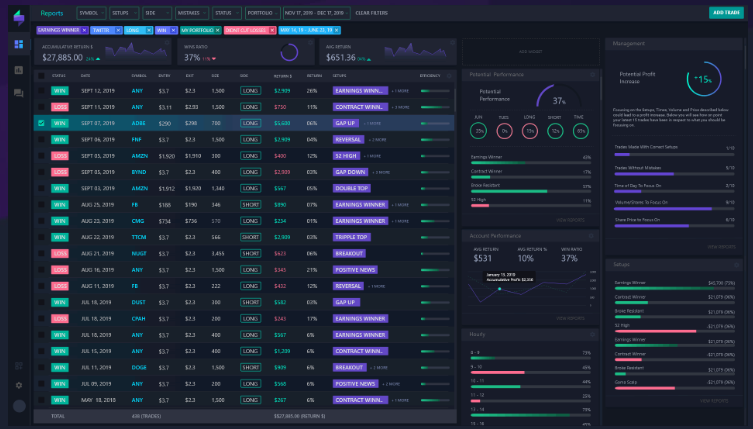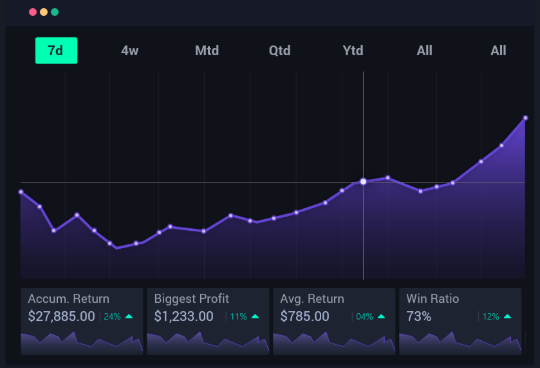

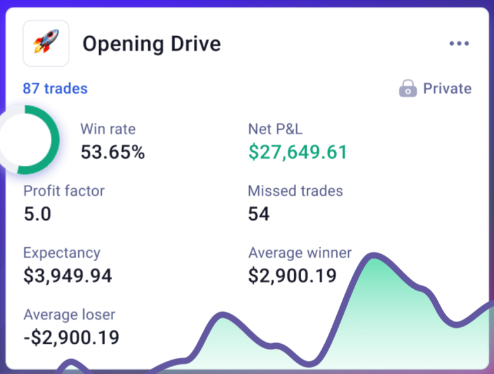
These are the best 7 trading journal tools you’ll ever find and they excel in three critical areas for traders:
- Tracking your trades
- Analyzing your performance
- Achieving success
As a trader managing over $600 A.U.M, I can attest to this truth: “Winning traders keep records.“
If you’re serious about taking your trading to the next level, these tools are an absolute must-have.
#1: TradeZella
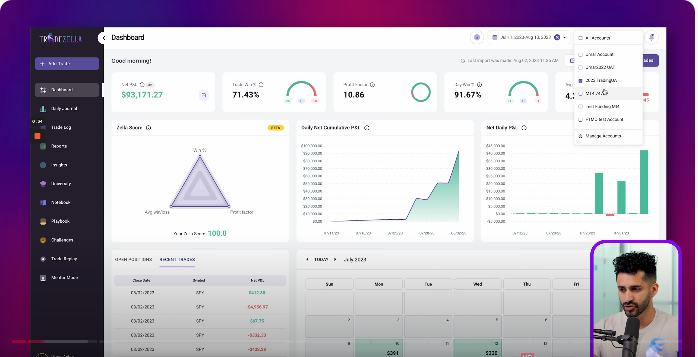
TradeZella is designed with simplicity and effectiveness, offering a seamless journaling experience.
How To Use TradeZella:
Key Features:
- Detailed performance metrics to evaluate trades.
- Easy trade import functionality.
- Clear insights to help traders improve their strategies.
- Bactesting Capabilities {Trades replay}
- Sync or directly import from your brokerage firm
- Access your trading journal anytime, anywhere, with a mobile-friendly design
Why It’s Great:
TradeZella provides actionable insights without overwhelming the user, making it ideal for traders at any level.
Pros of TradeZella
- Flexible pricing options: Accessible for both beginners and professional traders.
- Comprehensive Analytics: This offers advanced metrics and insights to help traders refine their strategies.
- Seamless broker integrations: allow users to import trades via broker sync, file upload, or manual entry
- Psychological Analysis: Helps identify emotional triggers and improve trading discipline.
- User-Friendly Interface: A Simple, clean design makes it easy for traders of all levels to use.
- Customizable Tags: Allows traders to organize and categorize trades effectively.
- Trade Import Feature: Seamlessly import trades from multiple brokers and platforms.
- Actionable Feedback: Provides suggestions to improve trading performance.
- Mobile-Friendly: Access your journal on the go for convenience and flexibility.
- Visualization Tools: Intuitive charts and graphs make performance tracking straightforward.
- Error Analysis: Highlights mistakes to help traders avoid repeating them.
Cons of TradeZella
- No Free Plan: Requires a paid subscription, which may not suit those testing journal tools.
- Focused on Individual Traders: It lacks features for institutional or multi-account management.
#2: FxTester
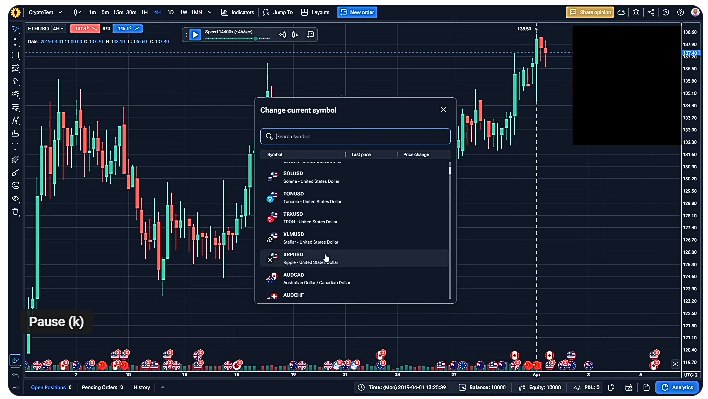

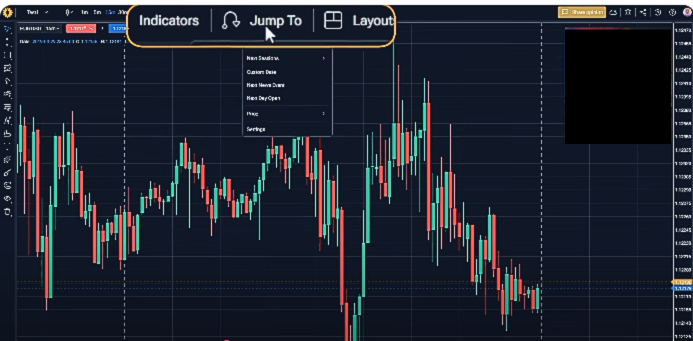
Replay trades, test strategies, and track performance—all in one place.
This all-in-one software bridges the gap between journaling and backtesting, making it ideal for forex traders who want to build, test, and log systems before risking real money
How To Use Forex Tester:
Key Features
- Built-in historical data & fast backtesting
- Trade replay with pause/play/rewind functions
- Automatic trade result tracking (P/L, R-multiple, expectancy)
- Journal tools: screenshots, notes, tags
- Strategy testing: manual or scripted automation
- Exportable performance reports
- Offline and Online versions for browser access
Why It’s Great:
Forex Tester stands out by merging serious testing capabilities with journaling convenience, making it perfect for both discretionary and system traders wanting to validate strategies before going live.
Benefits of Using Fxtester
- Real-Time Trade Journaling: Automatically sync trades from supported brokers for instant journaling.
- Advanced Analytics: Access in-depth metrics, including win rates, drawdowns, and performance by strategy.
- Risk Management Tools: Optimize your trading with tools to analyze risk/reward ratios and position sizing.
- Performance Tracking: Monitor progress with detailed charts and reports tailored to your goals.
- Emotional Tracking: Document your emotional state during trades to identify behavioral patterns.
- Trade Tagging: Organize and filter trades by tags for targeted analysis.
- Custom Alerts: Set up notifications to stay updated on key market events or personal performance metrics.
- Educational Integration: Learn from in-platform tutorials and expert trading insights.
- Multi-Asset Support: Compatible with forex, stocks, crypto, and other asset classes.
- Desktop and Cloud Access: Available both as a downloadable app and via the cloud for flexibility.
Pros
- Long-term data support (since 2001)
- Replay mode allows granular review of every decision
- Detailed performance metrics including expectancy
- Works offline with full feature set
- Automation-friendly—great for algo traders
- New Online version adds flexibility
Cons
- Windows-only desktop (macOS requires emulation)
- No direct broker integration—manually input trades
- The interface feels dated compared to modern SaaS tools
#3 Edgewonk:
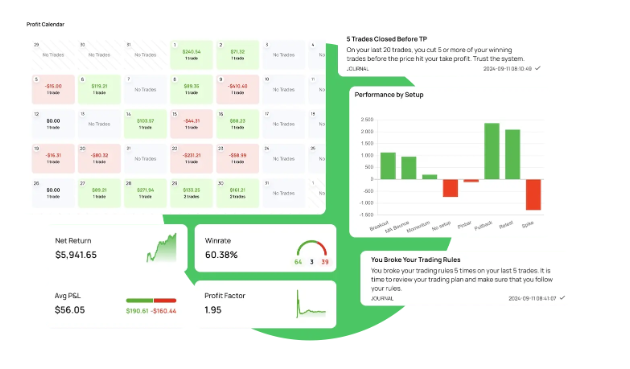

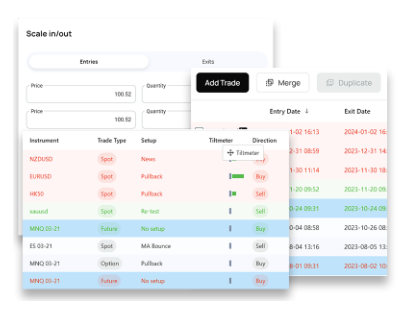
Edgewonk is one of the most versatile trading journals available, designed for traders of all levels and asset classes.
How To Use EdgeWonk:
Key Features:
- Psychological analysis to understand emotional patterns.
- Trade analytics to identify strengths and weaknesses.
- Fully customizable tags and metrics.
Why It’s Great:
Edgewonk doesn’t just track trades; it helps you refine your decision-making process.
Pros of Edgewonk
- Comprehensive Analytics: Offers advanced metrics and insights to refine trading strategies.
- Psychological Insights: Provides tools to analyze emotional triggers and improve trading discipline.
- Supports Multiple Assets: Works for forex, stocks, crypto, futures, and other markets.
- Customizable Journaling: Allows traders to add personalized tags and categories for better organization.
- Behavioral Analysis: Identifies patterns and habits to improve decision-making.
- Risk Management Tools: Helps traders optimize position sizing and risk/reward ratios.
- What-If Scenarios: Enables testing strategy tweaks without risking real money.
- User-Friendly Interface: Clean design with intuitive dashboards for easy navigation.
- Platform Agnostic: Works seamlessly on desktop and mobile for on-the-go access.
- Data-Driven Decisions: Delivers in-depth reports to guide performance improvement.
Cons of Edgewonk
- Pricing: May be expensive for beginner traders compared to simpler tools.
- Learning Curve: Advanced features may take time to fully understand and use effectively.
- No Free Plan: Requires upfront investment, which might not appeal to traders on a budget.
- Manual Data Entry: Some users may find entering trades manually time-consuming if auto-import is unavailable.
- Not Broker-Integrated: Unlike some competitors, it lacks seamless integration with certain brokers.
#4: MyFxbook:
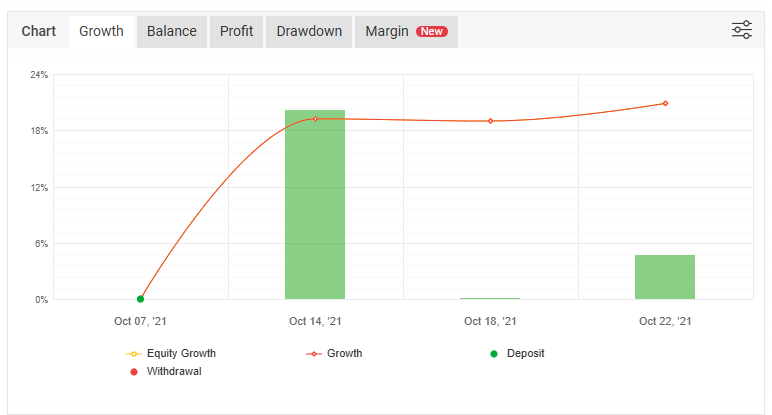

While primarily known as a performance-tracking tool, MyFxBook also serves as an excellent journal for forex traders.
How It Works:
Key Features:
- Automatically sync trades from your MT4 or MT5 accounts.
- Analyze metrics like win rate, drawdown, and profit factor.
- Free to use with basic features.
Why It’s Great:
Its automated data syncing makes it a hassle-free option for forex traders.
Pros of MyFxBook:
- Free to Use: Most features are accessible without any cost.
- Comprehensive Analytics: Offers detailed insights into your trading performance.
- Automated Tracking: Saves time by syncing directly with broker accounts.
- Community Features: Allows users to connect, share ideas, and learn from other traders.
- Strategy Tester: A valuable tool for refining and backtesting trading strategies.
- Economic Calendar: Keeps traders updated on important market events.
- Social Trading: Offers the ability to copy successful traders for better learning and results.
- Wide Broker Support: Compatible with numerous brokers worldwide.
Cons of MyFxBook:
- Privacy Concerns: Sharing account details may make some traders uncomfortable.
- Limited Customization: Some features lack the flexibility of more advanced trading journals.
- Complex Interface: The platform can be overwhelming for beginners.
- Ad-Supported: Free users may experience intrusive ads on the platform.
- Broker Dependency: Full functionality relies on broker compatibility, which may limit some traders.
#5: Tradervue
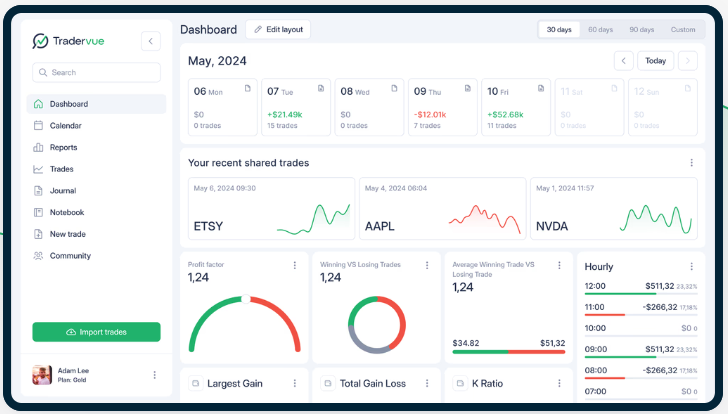

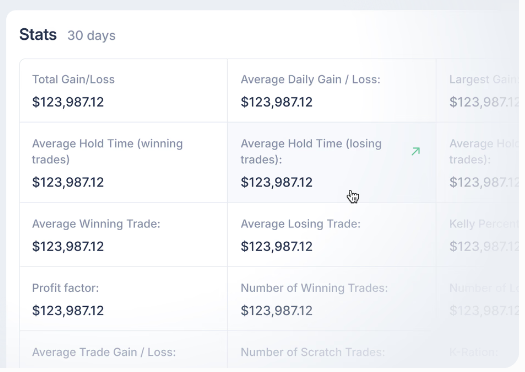
Tradervue simplifies trade journaling by offering seamless trade imports and detailed performance metrics.
How To Get Started With TraderVue:
Key Features:
- Effortless Trade Journaling: Quickly import trades from over 100 supported brokers and platforms.
- Advanced Reporting: Gain insights into trading performance with detailed metrics and custom reports.
- Tagging and Filtering: Organize trades with tags and filters for focused analysis.
- Risk Management Tools: Analyze risk/reward ratios to improve position sizing and decision-making.
- P&L Analysis: Break down profits and losses by symbol, setup, or timeframe for actionable insights.
- Community Sharing: Share trades with the Tradervue community for feedback and learning.
- Note-Taking Feature: Add notes to trades to document emotions, strategies, and market conditions.
- Multi-Market Support: Track trades across forex, stocks, crypto, futures, and options.
- Trade Journals: Review historical performance and learn from past mistakes or successes.
- Mobile Accessibility: Access your journal and reports on the go via mobile devices.
Why It’s Great:
Its user-friendly interface and robust analytics make it perfect for both beginners and experienced traders.
Pros of Tradervue
- Wide Broker Support: Compatible with a vast range of brokers and trading platforms.
- Detailed Trade Analysis: Offers advanced metrics like risk/reward ratios, P&L breakdowns, and win rates.
- Tagging System: Helps traders categorize and filter trades for focused reviews.
- Community Integration: Enables trade sharing and feedback within the Tradervue network.
- Custom Reports: Allows traders to generate tailored reports for specific performance metrics.
- Risk Management Insights: Focuses on improving trading discipline and managing risk effectively.
- User-Friendly Interface: Intuitive and easy-to-navigate design for all experience levels.
- Multi-Market Capability: Tracks trades across multiple asset classes, including forex, stocks, and crypto.
- Affordable Plans: Offers a free plan with basic features and paid plans for more advanced needs.
Cons of Tradervue
- Limited Free Plan: The free plan lacks advanced features like reporting and risk analysis.
- Subscription Costs: Advanced features require a monthly subscription, which may deter beginners.
- No Automated Strategy Testing: It lacks built-in tools for backtesting trading strategies.
- Learning Curve: New users may take time to fully utilize its advanced features.
- No Mobile App: While mobile-friendly, it lacks a dedicated app for streamlined access.
#6 Trader Sync: